Connect your Google Business Profile
Sign in with the Google account that manages your business on Google Search and Maps.
On your agency’s page, your Business Profile is part of the Google row, with your website’s Analytics and Search Console: one Google sign-in for all three. See Connect Google.
Before you start
- Your Business Profile must be verified by Google.
- Sign in with a Google account that is an owner or manager of the profile. Not sure which? Open business.google.com — the account that shows your business there is the right one.
- With a Google Workspace (company) account, your admin must have Business Profile switched on for it.
Steps
- Click Connect next to Google (Business Profile, Analytics, Search Console).
- Choose the Google account that manages your listing and allow the access Google asks for.
- Back on the page, your business is picked for you when it matches the details your agency has. If the account manages more than one location and none matches, pick yours.
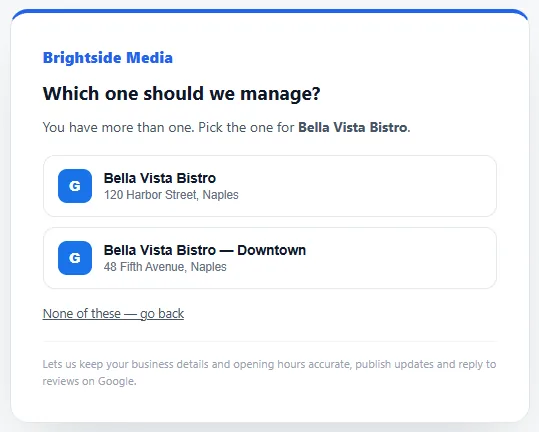
We can keep your details and opening hours accurate, publish updates and offers, read how people find you, and reply to reviews.
If something goes wrong
We couldn’t find a business profile on that Google account.
You signed in with a Google account that doesn’t manage the listing. Connect again and choose the account that shows your business on business.google.com, or add that account as a manager under Business Profile settings → People and access.
Your business isn’t in the list.
It may be managed by a different Google account, or still waiting for verification. Check on business.google.com.
Removing access
In your Google Account: Security → Your connections to third-party apps & services, then remove the app.