Connect TikTok
Sign in to TikTok and approve publishing. Who can see each video is chosen when it’s posted.
Steps
- Click Connect next to TikTok.
- TikTok opens. Sign in with the business’s TikTok account (not a personal one, if they differ).
- TikTok lists what the app may do. Approve it.
- You come back to the page and the row turns green.
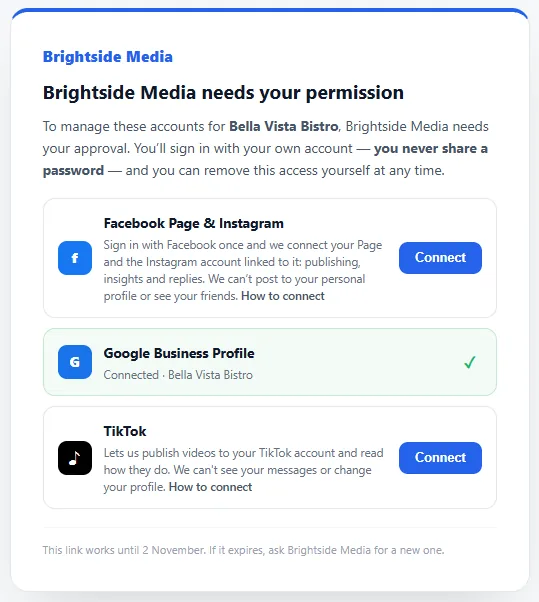
We can publish videos to your TikTok account and read how they do. We can’t see your messages or change your profile.
Who can see the videos
Each video is posted with the privacy chosen for it: everyone, followers, friends or only you. TikTok only offers the choices your account allows.
If your TikTok account is private, videos can’t be shown to everyone. To post publicly, turn it off in the TikTok app: Profile → menu (☰) → Settings and privacy → Privacy → Private account.
If something goes wrong
The wrong TikTok account was connected.
TikTok uses whichever account is signed in. Sign out of TikTok in your browser (or switch account in TikTok), then connect again.
“Everyone” isn’t offered when posting.
The account is private. Make it public as shown above; the choice appears on the next post.
Removing access
In the TikTok app: Settings and privacy, then the app permissions under security, and remove the app.